

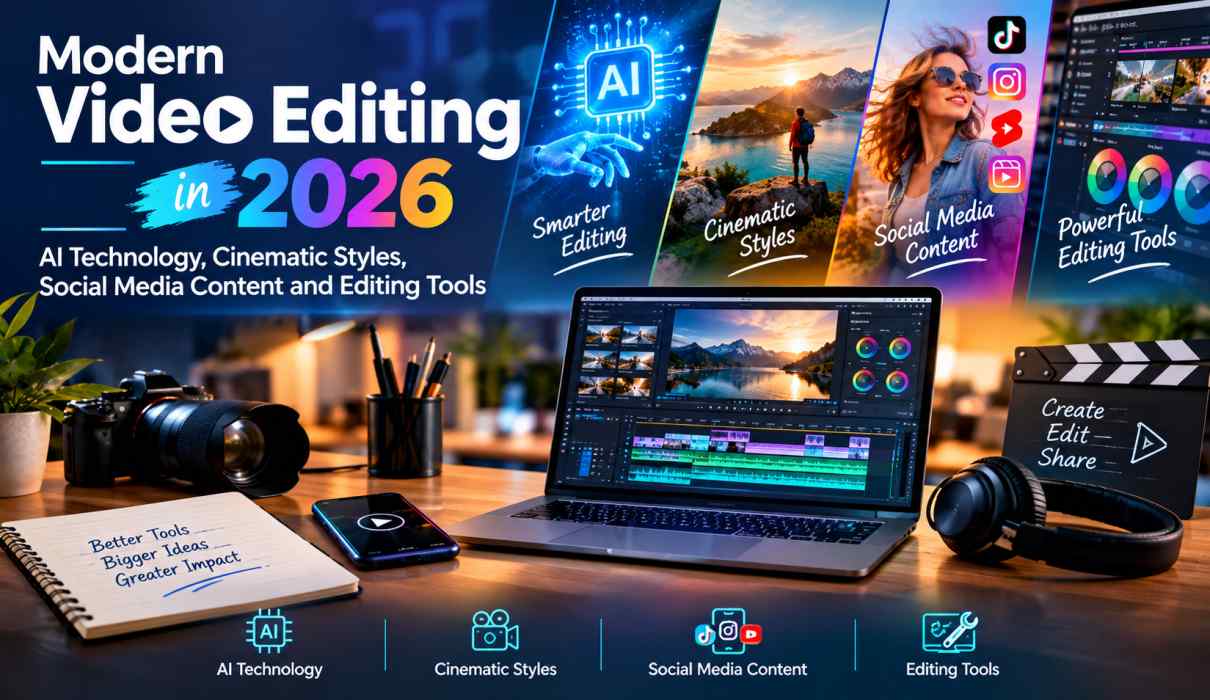
Modern Video Editing in 2026: AI Technology, Cinematic Styles, Social Media Content and Editing Tools
Video editing has changed dramatically in recent years. What once required hours of manual cutting, color correction, audio adjustment, captioning, and effects work can now be accelerated with artificial intelligence, automation, templates, and cloud-based editing tools. In 2026, modern video editing is no longer only about assembling clips—it is about combining technology, creativity, storytelling, and platform-specific content strategies.
Artificial intelligence is becoming an important part of professional and everyday editing workflows. Modern tools can assist with transcription, object masking, captions, reframing, audio enhancement, clip extension, and even generating video or sound effects. Adobe Premiere, for example, now offers AI-powered features that can generate video and sound effects directly within the editing timeline.
At the same time, audiences continue to consume large amounts of short-form content through platforms such as Instagram Reels, YouTube Shorts, and TikTok. This has increased demand for vertical video, fast storytelling, dynamic captions, cinematic visuals, and engaging openings.
This article explores the most important developments shaping modern video editing in 2026, including AI technology, cinematic styles, social media content, editing tools, automation, and practical workflows for creators and businesses.
The Evolution of Video Editing in 2026
Traditional video editing often involved manually reviewing footage, selecting clips, creating sequences, adjusting audio, adding transitions, and exporting different versions. Although these fundamentals remain important, technology has significantly improved the speed of the process.
In 2026, editors can use AI to automate repetitive tasks while maintaining control over the creative decisions. Transcription-based editing, automatic captions, intelligent masking, background removal, audio enhancement, and smart reframing can reduce the amount of manual work required.
Adobe’s current Premiere updates include AI-powered Object Mask, Generative Extend, transcript-based editing, and Generative Media capabilities. These features demonstrate how AI is becoming integrated directly into professional editing environments rather than existing only as separate applications.
The result is a hybrid approach: technology handles repetitive tasks while editors focus more heavily on storytelling, pacing, visual identity, and creative direction.
AI-Powered Video Editing Is a Major Trend
Artificial intelligence is one of the most significant trends in video editing in 2026. AI is being used throughout the editing process, from organizing footage to creating visual elements.
1. AI-Assisted Editing
AI-powered editing tools can analyze footage and help identify useful clips, speech, subjects, and scenes. Editors can then build rough cuts more quickly.
Text-based editing is particularly useful for interviews, podcasts, educational videos, and talking-head content. Instead of searching through a long timeline manually, an editor can work from a transcript and select sections of dialogue to create an initial sequence.
2. AI Object Masking
Masking has traditionally been a time-consuming process, particularly when a subject is moving. Modern AI tools can identify and track objects or people, making it easier to isolate subjects and apply effects.
This can be useful for:
- Background replacement
- Subject highlighting
- Color adjustments
- Product videos
- Motion graphics
- Cinematic effects
- Social media advertisements
3. Generative Video and Audio
Generative AI is moving beyond image creation and becoming part of video production. New tools can generate supplementary footage, visual elements, and sound effects based on prompts.
For example, Premiere’s Generative Media Tool allows users to generate video or sound effects directly within a timeline.
However, AI-generated footage should be treated as a creative resource rather than an automatic replacement for real production. Generated material can still have problems with continuity, realism, branding, or precise actions. A hybrid workflow combining traditional footage with carefully reviewed AI content is often more reliable.
Cinematic Video Editing Styles in 2026
While AI is transforming the technical side of editing, cinematic storytelling remains highly important.
Cinematic editing is increasingly being used beyond films. You can see film-inspired techniques in travel videos, advertisements, product launches, wedding films, lifestyle content, and social media posts.
Some popular cinematic techniques include:
Color Grading
Color grading creates a specific mood and visual identity. Warm tones can create a nostalgic atmosphere, while cooler tones may create a modern or dramatic appearance.
Rather than applying a filter randomly, professional editors consider lighting, skin tones, brand colors, and the emotional purpose of each scene.
Slow Motion and Speed Ramping
Slow motion can emphasize important moments, while speed ramps create energy between different sections of a video.
These techniques are especially popular for sports, fashion, travel, automotive, wedding, and lifestyle content.
Smooth Camera Movement
Digital stabilization, subtle zooms, pans, and motion effects can make ordinary footage feel more polished.
The goal is not to add movement everywhere. Strategic movement should support the story rather than distract from it.
Film-Inspired Composition
Creators are increasingly using cinematic framing, controlled lighting, depth of field, and carefully selected aspect ratios to create a premium visual style.
CapCut’s 2026 editing trend guidance highlights cinematic and aesthetic edits, slow-motion and velocity effects, beat synchronization, and high-energy transitions among popular editing approaches.
Short-Form Video Is Reshaping Editing
Short-form video remains one of the biggest influences on modern editing.
Instagram Reels, YouTube Shorts, TikTok, and other vertical-video platforms have created an environment where viewers make quick decisions about whether to continue watching.
As a result, editors need to think about the first few seconds, pacing, visual clarity, captions, and storytelling structure.
A successful short-form video often includes:
- A strong opening hook
- Clear visual information
- Fast but understandable pacing
- Captions or on-screen text
- Relevant music or sound
- A simple central message
- A satisfying conclusion or call to action
The objective is not simply to make videos shorter. The objective is to communicate the most important idea efficiently.
Dynamic Captions Are Becoming Essential
Captions have evolved from basic accessibility features into important visual elements.
Many viewers watch social videos without sound, making readable captions particularly valuable. Modern editing tools can automatically transcribe speech, generate captions, synchronize text with dialogue, and create different caption styles.
However, automatic captions should always be reviewed.
Editors should check:
- Spelling
- Names
- Numbers
- Timing
- Line breaks
- Caption position
- Readability
- Brand terminology
Captions should enhance the video rather than cover faces, products, or important visual information.
Social Media Video Editing Requires Platform-Specific Thinking
One video can be adapted for multiple platforms, but simply uploading the exact same version everywhere may not always provide the best result.
Modern editors increasingly create different versions from the same source footage.
For example:
Long-form video: detailed explanation or complete story.
YouTube Short: strongest 20–60 second section.
Instagram Reel: visually engaging vertical edit with captions.
TikTok version: faster pacing and trend-focused presentation.
LinkedIn video: professional message with clean graphics and informative captions.
This approach allows creators and businesses to maximize the value of one recording session.
CapCut’s 2026 guidance emphasizes short-form storytelling, reusable templates, beat synchronization, cinematic effects, and remix-oriented editing for social platforms.
Popular Video Editing Tools in 2026
The best video editing software depends on the user’s needs, experience, budget, and type of content.
Adobe Premiere Pro
Premiere Pro remains a powerful choice for professional editing, commercial content, documentaries, social media campaigns, and larger productions.
Its AI capabilities now include tools for object masking, generative media, transcription, captions, reframing, and other workflow improvements.
DaVinci Resolve
DaVinci Resolve is widely recognized for combining editing, color grading, visual effects, motion graphics, and audio production in one environment.
It is particularly attractive to editors who want detailed control over cinematic color and professional post-production.
CapCut
CapCut has become particularly popular among social media creators because of its accessible interface, templates, effects, captions, music tools, and AI-assisted features.
Its current 2026 trend ecosystem focuses heavily on short-form videos, cinematic aesthetics, velocity editing, beat synchronization, transitions, and reusable templates.
Final Cut Pro
Final Cut Pro remains a popular option for Apple users who want a powerful editing environment with a streamlined workflow.
It can be especially useful for creators producing YouTube videos, social content, promotional videos, and professional projects within the Apple ecosystem.
Automation Is Making Editing Workflows Faster
Modern video editing is increasingly workflow-oriented.
Instead of completing every task manually, editors can build a process where repetitive jobs are automated.
A practical 2026 workflow might look like this:
Step 1: Record high-quality footage
Good lighting and clear audio still matter.
Step 2: Organize the footage
Separate interviews, B-roll, graphics, music, and other assets.
Step 3: Generate a transcript
Use AI transcription to identify important sections quickly.
Step 4: Create the rough cut
Remove unnecessary pauses, mistakes, repetition, and irrelevant sections.
Step 5: Improve pacing
Adjust cuts according to the story and audience.
Step 6: Add captions
Generate captions automatically and review them manually.
Step 7: Improve visuals
Apply color correction, transitions, stabilization, and selected cinematic effects.
Step 8: Enhance audio
Remove unwanted noise and balance dialogue, music, and sound effects.
Step 9: Create platform versions
Prepare horizontal, square, and vertical versions where appropriate.
Step 10: Review before publishing
Watch the finished video on the target device and check every detail.
This workflow can significantly reduce production time without removing human creative control.
The Rise of Templates and Remix Culture
Templates are another major part of modern video editing.
Rather than starting every project from a blank timeline, creators can use pre-designed structures for transitions, captions, music synchronization, photo montages, promotional videos, and short-form content.
Templates are particularly useful for businesses that need consistent content.
For example, a company could develop a reusable video structure containing:
- Brand introduction
- Product footage
- Key benefits
- Customer message
- Call to action
- Brand logo
Each new campaign can then use the same basic structure while changing the footage and messaging.
However, excessive dependence on templates can make content feel repetitive. The strongest strategy is to use templates as a foundation while adding original footage, storytelling, branding, and creative decisions.
Video Editing for Businesses and Brands
Video is now an important part of digital marketing. Businesses use edited video for websites, advertisements, social media, product demonstrations, training, internal communication, and customer education.
In 2026, businesses can benefit from creating a content library rather than treating every video as a separate project.
A single product shoot can produce:
- A promotional film
- Product demonstrations
- Short social clips
- Customer education videos
- Behind-the-scenes content
- Advertisement variations
- Website videos
- Email campaign clips
This approach improves content efficiency and can reduce production costs.
AI tools can further accelerate the process by helping with transcription, captions, reframing, audio cleanup, and repetitive editing tasks.
What Makes a Modern Video Successful?
Technology alone does not guarantee a successful video.
The most important elements remain story, relevance, clarity, emotion, pacing, and originality.
A beautifully edited video can still fail if the audience does not understand its purpose.
Before editing, ask:
- Who is the target audience?
- What should viewers learn or feel?
- What is the main message?
- What should happen in the opening seconds?
- Which visuals support the message?
- Where should the video end?
- What action should the viewer take?
Answering these questions before opening the editing software can make the entire workflow more effective.
Challenges of AI Video Editing in 2026
Despite rapid progress, AI does not eliminate every challenge.
AI-generated or AI-assisted footage may require careful review for consistency, realism, continuity, and accuracy. Generative tools can also produce impressive-looking clips that do not precisely match the editor’s intended result.
Another challenge is over-editing.
Too many transitions, effects, animations, captions, zooms, or sound effects can make a video exhausting to watch.
The best editors know when not to add an effect.
Human creativity remains essential for deciding what matters, what should be removed, how a story should develop, and what emotional response the audience should have.
The Future of Video Editing
The future of video editing will likely become increasingly integrated with AI.
Editors will be able to describe an intended result using natural language, search footage using conversational commands, automatically generate multiple versions, and make rapid changes without manually navigating every part of a timeline.
AI will also make video production more accessible to beginners. People who previously needed advanced technical skills may be able to produce professional-looking content using intelligent editing assistants and templates.
However, professional-quality content will still require human judgment.
The future is therefore unlikely to be AI versus editors. Instead, it will be AI plus editors—a combination in which automation handles repetitive production tasks while humans control storytelling, creativity, brand identity, and final quality.
Conclusion
Modern video editing in 2026 is defined by the combination of artificial intelligence, cinematic storytelling, short-form content, automation, and increasingly powerful editing tools.
AI is making tasks such as transcription, masking, captioning, reframing, audio improvement, and generative media faster. At the same time, cinematic styles, dynamic captions, vertical video, speed effects, and platform-specific storytelling continue to shape how audiences experience content.
The most successful creators and businesses will not simply follow every new editing trend. They will use technology strategically while maintaining originality and a clear creative identity.
Whether you are a professional filmmaker, YouTube creator, social media manager, marketer, business owner, or beginner, the most important skill remains the ability to tell a compelling story.
In 2026, the best video editing workflow is not necessarily the one with the most effects. It is the one that combines smart technology, efficient tools, strong storytelling, cinematic quality, and a clear understanding of the audience.