

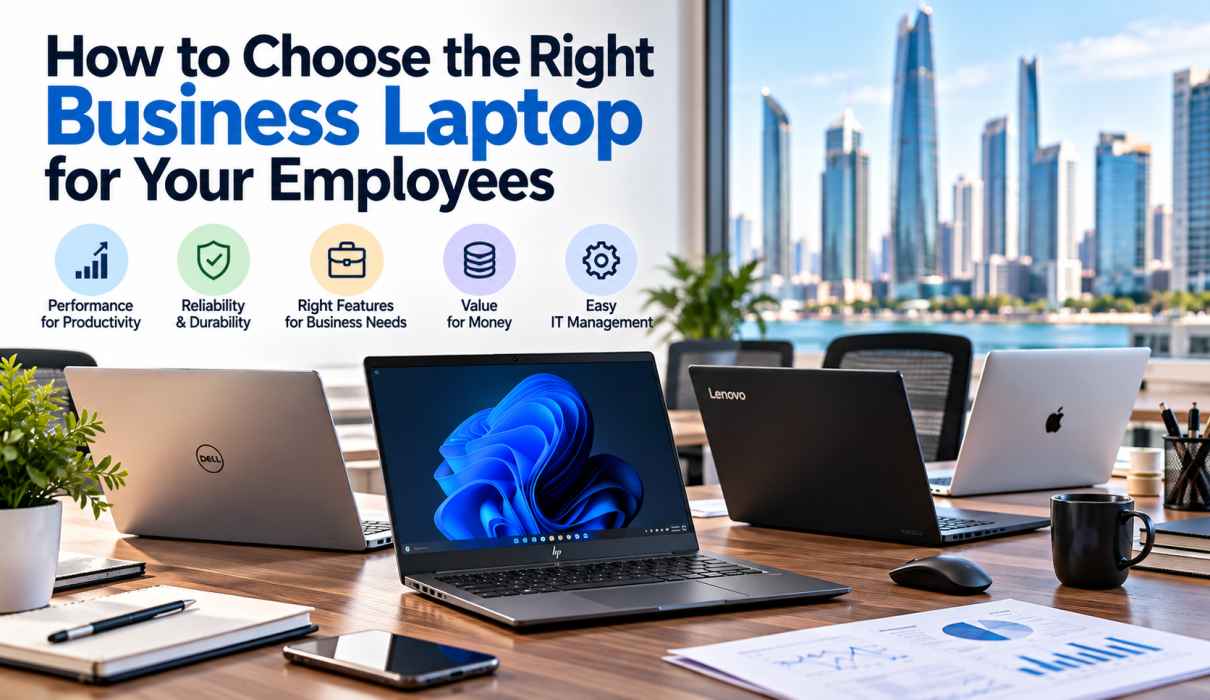
How to Choose the Right Business Laptop for Your Employees
The wrong laptop quietly drains a business. Slow boot times, short battery life, and weak security cost you hours every week, and they frustrate the people you hired to do good work.
The “best” laptop doesn’t exist in the abstract. The right one depends on who is using it and what they do all day. An accountant, a graphic designer, and a sales executive who travels to client sites all need different machines.
This guide walks through the key factors to weigh before you buy for your team.
1. Start With Your Employees’ Roles
Before comparing specs, group your staff by how they actually work.
- General office staff (admin, HR, customer service): Email, documents, video calls, and browser-based tools. A reliable mid-range laptop is enough.
- Finance and data teams: Large spreadsheets and multiple apps open at once. They need more RAM and a faster processor.
- Creative and technical teams (designers, engineers, developers): Video editing, 3D, CAD, or code compilation. These roles need high-performance processors, extra memory, and often a dedicated graphics card.
- Mobile and field employees (sales, consultants, executives): Light weight, long battery life, and strong connectivity matter most.
Buying one model for everyone often means overspending on some roles and underpowering others. Two or three standard configurations usually cover a whole company.
2. Get the Core Specifications Right
Processor (CPU): This is the engine of the laptop. For everyday business use, a current-generation Intel Core i5 or AMD Ryzen 5 is a solid baseline. Move up to Core i7/Ryzen 7 or higher for demanding workloads.
Memory (RAM): 8GB is the bare minimum today, and 16GB is the more comfortable choice for business use. Heavy multitaskers, analysts, and creative users should consider 32GB.
Storage: Choose an SSD (solid-state drive) over a traditional hard drive. SSDs boot faster, open files quickly, and are more durable. 256GB works for light use, but 512GB gives more breathing room.
Display: A Full HD (1920×1080) screen is the standard. Anti-glare panels help in bright offices, and larger or higher-resolution displays suit designers and analysts.
Graphics: Integrated graphics are fine for most staff. Dedicated GPUs are only needed for design, video, or engineering work.
3. Prioritise Durability and Build Quality
Business laptops get carried to meetings, thrown in bags, and used daily for years. Consumer laptops often can’t handle that.
Business-class models typically offer:
- Sturdier chassis, often tested against drops, dust, and temperature extremes
- Spill-resistant keyboards
- Better hinges and ports
- Longer lifecycle support and more consistent replacement parts
In the UAE, where laptops move between air-conditioned offices and hot outdoor conditions, durability matters even more.
4. Don’t Compromise on Security
A lost or compromised laptop can expose client data, financial records, and company credentials. Look for these features:
- TPM chip for hardware-level encryption
- Fingerprint reader or IR camera for fast, secure login
- Webcam privacy shutter
- BIOS-level protection and support for full-disk encryption
- Remote management support so your IT team can lock or wipe a lost device
Choose a Windows Pro edition (or an equivalent business OS) over a home edition. It adds domain join, advanced encryption, and centralised management that growing companies need.
5. Consider Portability and Battery Life
If your staff travel or work across multiple locations, weight and battery life directly affect productivity.
- Look for laptops under 1.5kg for frequent travellers.
- Aim for at least 8 to 10 hours of real-world battery life.
- Check for fast charging and USB-C charging support.
For desk-based employees who rarely leave the office, a slightly heavier laptop with a larger screen and more ports is a perfectly good trade-off.
6. Check Connectivity and Ports
Modern workplaces rely on docking stations, external monitors, projectors, and conferencing equipment. Make sure your laptops include:
- USB-C / Thunderbolt ports
- HDMI or DisplayPort output
- Wi-Fi 6 or Wi-Fi 6E
- A good-quality webcam and microphone for video calls
Poor connectivity creates daily friction, especially in hybrid and remote working setups.
7. Compare Warranty, Support, and Service
Many businesses focus on the purchase price and overlook what happens when something goes wrong. Downtime costs far more than a laptop does.
Before you buy, ask:
- What warranty is included, and can it be extended?
- Is on-site or next-business-day service available?
- Is a local service center nearby for repairs?
- Are spare parts easy to get?
Buying from a local, established supplier makes support much faster than dealing with overseas sellers. An annual maintenance contract (AMC) can also keep your fleet running smoothly and make IT costs predictable.
8. Think in Total Cost of Ownership, Not Just Price
The cheapest laptop is rarely the cheapest over time. A low-cost machine that slows down in 18 months, needs frequent repairs, or has to be replaced early ends up costing more.
Total cost of ownership includes:
- Purchase price
- Warranty and support
- Maintenance and repairs
- Productivity lost to downtime
- Expected lifespan (typically 3 to 5 years for business laptops)
Buying in bulk from an authorised reseller often brings volume pricing and standardised configurations, which also simplifies management.
9. Consider Flexible Options: Rental, Refurbished, and Apple
Not every business needs to buy new laptops outright.
- Laptop rental suits short-term projects, seasonal staff, events, and trial periods without a large upfront cost.
- Quality refurbished or used laptops can be a smart choice for budget-conscious teams, provided they come with testing and warranty.
- Apple MacBooks are a strong option for creative teams and executives, thanks to their performance, battery life, and build quality.
10. Choose a Trusted Brand and Supplier
Reputable business lines such as HP, Dell, Lenovo, Acer, and Apple offer dependable hardware, good driver support, and wide service networks. Equally important is who you buy from. A good supplier will understand your business, recommend the right configuration, and support you after the sale.
Quick Checklist: Business Laptop Buying Guide
| Factor | What to Look For |
|---|---|
| Processor | Intel Core i5 / Ryzen 5 or higher |
| RAM | 16GB recommended (minimum 8GB) |
| Storage | 512GB SSD or more |
| Display | Full HD, anti-glare |
| Security | TPM, fingerprint/IR login, Pro OS |
| Battery | 8 to 10+ hours |
| Weight | Under 1.5kg for mobile staff |
| Warranty | 3 years, with local service support |
| Ports | USB-C/Thunderbolt, HDMI, Wi-Fi 6 |
Final Thoughts
Choosing the right business laptop is about matching technology to the people who use it. Understand each role, set sensible specifications, put security and support first, and look at long-term value over upfront price. Get this right and you get a faster, safer, more productive team.
Find the Right Business Laptops with Speed Computer Abu Dhabi
With more than 40 years of experience serving businesses across the Middle East, Speed Computer Abu Dhabi helps companies of every size find the right IT hardware. Whether you need laptops for a small team, a large enterprise rollout, or short-term rental, our experts will recommend the right configuration for your budget and your people. We also offer laptop repair, AMC contracts, and after-sales support to keep your business running.
Ready to equip your team?
📞 Call us: +971 2 678 22 66
✉️ Email: info@speeduae.com
💬 WhatsApp: +971 56 533 7230
🌐 Visit: www.speeduae.com