

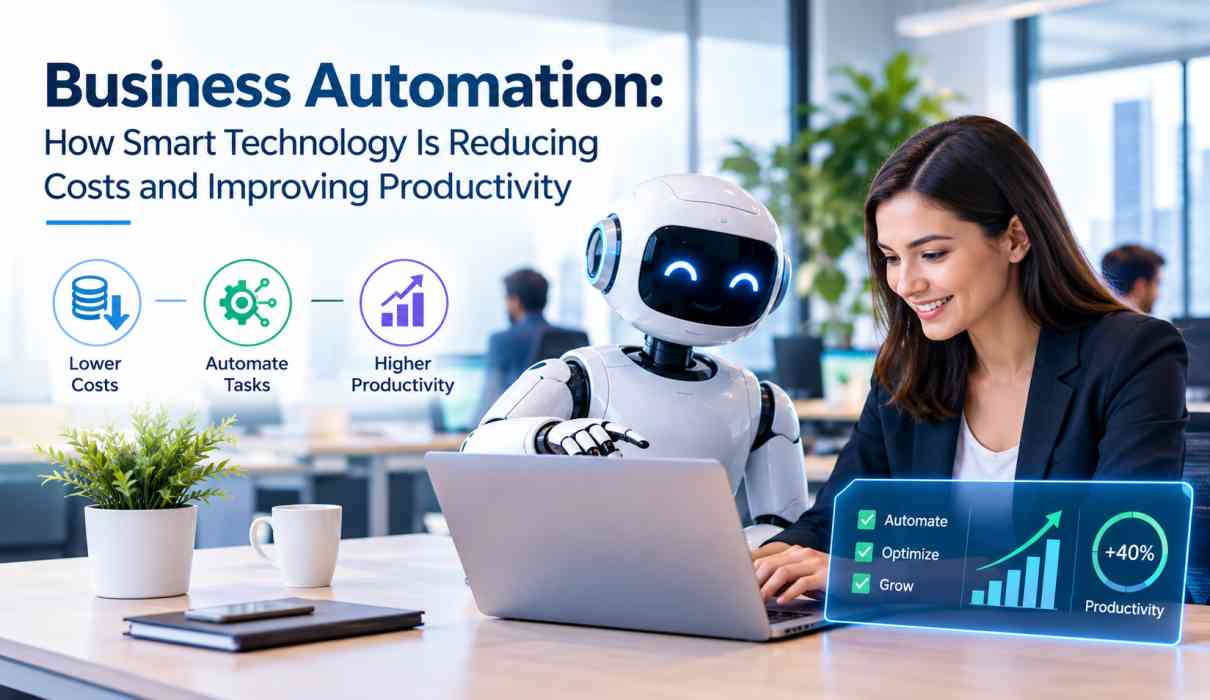
Business Automation: How Smart Technology Is Reducing Costs and Improving Productivity
Business automation is rapidly changing how companies manage daily operations, serve customers, and achieve sustainable growth. From automated accounting and customer support to workflow management and data analysis, smart technology is helping businesses complete repetitive tasks faster while reducing operational costs.
As competition increases across industries, companies are looking for practical ways to improve productivity without continuously increasing their workforce or administrative expenses. Business automation provides a technology-driven approach by allowing software, artificial intelligence (AI), cloud platforms, and digital workflows to handle routine processes with greater speed and consistency.
Whether it is a small business, growing startup, or large enterprise, automation can improve efficiency when implemented strategically. The goal is not simply to replace manual work but to help employees spend more time on valuable activities such as strategy, creativity, customer relationships, and innovation.
What Is Business Automation?
Business automation is the use of technology to perform repetitive, rule-based, or time-consuming business processes with minimal manual intervention.
Traditional business operations often require employees to repeatedly enter data, send emails, prepare reports, schedule appointments, process invoices, update records, or respond to common customer questions. Automation software can perform many of these activities automatically according to predefined rules or intelligent workflows.
For example, an online business can automatically send an order confirmation when a customer makes a purchase. An accounting system can generate invoices and payment reminders, while a customer relationship management platform can automatically update customer records.
Modern business automation increasingly combines:
- Artificial intelligence
- Machine learning
- Robotic process automation
- Cloud computing
- Workflow management
- Data analytics
- Chatbots and virtual assistants
- Integration platforms
- Digital communication tools
Together, these technologies allow organizations to build faster and more connected business processes.
Why Is Business Automation Important?
Businesses generate large amounts of information and perform thousands of routine activities every day. Managing these tasks manually can consume valuable employee time and increase the possibility of errors.
Business automation helps organizations create standardized processes that operate consistently. Instead of employees repeatedly performing the same administrative work, automated systems can handle predictable tasks while employees focus on higher-value responsibilities.
Automation can be particularly useful for businesses dealing with:
- Large volumes of customer inquiries
- Repetitive administrative tasks
- Frequent data entry
- Recurring financial transactions
- Employee onboarding
- Inventory management
- Marketing campaigns
- Appointment scheduling
- Document processing
- Reporting and analytics
The result can be faster operations, better visibility, fewer repetitive tasks, and improved productivity.
How Business Automation Reduces Operating Costs
One of the biggest reasons organizations adopt automation is the opportunity to improve efficiency and control operating expenses.
1. Reducing Repetitive Manual Work
Employees can spend significant amounts of time completing repetitive tasks. Automation can take over many routine activities, allowing employees to concentrate on work that requires judgment, creativity, communication, and problem-solving.
For example, instead of manually transferring information between multiple systems, an integration can synchronize the information automatically.
This does not necessarily mean reducing staff. Instead, businesses can use existing employee capacity more effectively.
2. Minimizing Human Errors
Manual data entry and repetitive processes can lead to mistakes. Incorrect information can result in additional administrative work, customer dissatisfaction, or financial losses.
Automated workflows follow predefined instructions consistently. When properly configured and monitored, they can reduce errors in areas such as invoicing, reporting, scheduling, and data management.
3. Improving Resource Utilization
Automation allows businesses to make better use of their workforce and technology investments.
For example, customer service automation can handle frequently asked questions while human agents manage complex customer problems. Similarly, automated reporting can prepare routine business information so managers can spend more time analyzing results.
4. Lowering Administrative Expenses
Digital workflows can reduce the need for excessive paperwork, manual approvals, and repetitive administrative activities.
Automated document management, electronic approvals, online payments, and digital records can simplify business operations while reducing printing, storage, and administrative requirements.
How Automation Improves Business Productivity
Cost reduction is only one part of the automation equation. The technology can also improve productivity by helping employees and teams work more efficiently.
Faster Task Completion
Automated systems can execute many tasks much faster than manual processes. A workflow that might require several employee actions can sometimes be completed automatically within seconds.
For example, a new customer registration could automatically create a customer profile, send a welcome email, assign a sales representative, and schedule a follow-up reminder.
Better Workflow Management
Automation can help businesses establish clear workflows.
Tasks can automatically move from one stage to another based on predefined conditions. Managers can also track the progress of activities and identify bottlenecks.
This creates greater visibility across departments and makes it easier to understand where improvements are needed.
24/7 Operations
Unlike employees, automated systems can operate continuously.
This is particularly useful for online businesses, customer support, marketing communication, monitoring systems, and other digital services.
For example, a chatbot can answer basic customer questions outside normal business hours and direct complex issues to a human representative.
Improved Employee Productivity
Automation can reduce the amount of repetitive work employees have to perform every day.
When employees spend less time copying information, generating routine reports, or processing simple requests, they can focus on activities that contribute more directly to business growth.
Business Areas That Can Benefit From Automation
Business automation can be applied across almost every department.
Marketing Automation
Marketing automation helps companies manage repetitive promotional activities.
Businesses can automate:
- Email campaigns
- Lead nurturing
- Customer segmentation
- Social media scheduling
- Campaign notifications
- Marketing reports
- Follow-up messages
For example, a potential customer who downloads a guide from a company’s website can automatically enter an email sequence designed to provide additional information.
Sales Automation
Sales teams can use automation to organize leads and improve follow-ups.
CRM systems can automatically assign leads, schedule reminders, update customer records, and notify sales representatives about important activities.
This can help sales teams spend more time communicating with potential customers rather than managing spreadsheets.
Customer Service Automation
Customer service automation can provide faster responses to common questions.
Chatbots, knowledge bases, automated ticket routing, and email workflows can help customers find information quickly.
However, human support remains important for complicated, sensitive, or unusual issues.
Finance and Accounting Automation
Finance departments can automate many recurring processes, including:
- Invoice generation
- Payment reminders
- Expense tracking
- Financial reporting
- Transaction categorization
- Payroll-related workflows
- Approval processes
Automation can make financial operations more organized and reduce the amount of manual administration.
Human Resources Automation
HR teams can automate employee onboarding, leave requests, document collection, training reminders, and internal communication.
For example, when a new employee joins, an automated workflow can send required documents, create accounts, notify relevant departments, and schedule onboarding activities.
Inventory and Operations
Businesses that manage physical products can use automation for inventory monitoring, purchase alerts, order processing, and logistics coordination.
Real-time data can help companies identify low-stock products and respond more quickly to changing demand.
The Role of Artificial Intelligence in Business Automation
Artificial intelligence is making business automation more capable than traditional rule-based systems.
Traditional automation generally follows predefined instructions. AI-powered systems can analyze information, identify patterns, generate content, classify data, and assist with decision-making.
For example, AI can help a company analyze customer messages and determine whether a request is related to billing, technical support, product information, or another category.
Generative AI can also assist with drafting emails, creating summaries, preparing reports, analyzing documents, and generating marketing content.
However, AI automation should be implemented with appropriate human oversight. Businesses need to consider accuracy, privacy, security, transparency, and the potential impact of incorrect automated decisions.
Business Automation and Cloud Technology
Cloud computing has made automation more accessible to businesses of different sizes.
Cloud-based automation tools can often be accessed through web browsers and integrated with existing business applications. This allows organizations to automate processes without building every system from scratch.
Cloud platforms can connect tools used for:
- Customer relationship management
- Accounting
- Marketing
- Human resources
- Project management
- Communication
- E-commerce
- Data analytics
Integrations are particularly valuable because businesses often use multiple software platforms. Connecting these systems can reduce duplicate data entry and improve information flow.
How Small Businesses Can Start With Automation
Automation does not have to begin with a large technology investment. Small businesses can start with simple processes that consume significant amounts of time.
A practical approach is to identify repetitive tasks and evaluate which ones are suitable for automation.
Start by asking:
- Which tasks are performed repeatedly?
- Which processes require significant manual data entry?
- Where do employees frequently make avoidable errors?
- Which customer questions are repetitive?
- Which reports are generated regularly?
- Which approvals create unnecessary delays?
Once these areas are identified, businesses can choose suitable automation tools.
Starting small allows organizations to measure results before expanding automation across other departments.
Challenges of Business Automation
Although automation offers many advantages, it also creates challenges that businesses should consider.
Initial Investment
Some automation solutions require software subscriptions, integration costs, employee training, or implementation support.
Businesses should evaluate expected benefits rather than selecting tools solely because they offer advanced features.
Employee Training
Employees need to understand how automated workflows operate and how their responsibilities may change.
Training can help teams use technology effectively and reduce resistance to new systems.
Data Security
Automation often involves sensitive business and customer information. Companies should carefully evaluate security controls, access permissions, data handling practices, and compliance requirements.
Over-Automation
Not every business process should be automated.
Tasks involving complex judgment, relationship building, creativity, or sensitive customer interactions may still require human involvement.
The most effective approach usually combines automation with human oversight.
Best Practices for Successful Business Automation
Businesses can improve their chances of success by following a structured approach.
Identify High-Impact Processes
Begin with repetitive processes where automation can create measurable improvements.
Set Clear Objectives
Define what the organization wants to achieve. Objectives might include reducing processing time, improving response speed, reducing errors, or increasing employee productivity.
Integrate Existing Systems
Automation works best when different business applications can exchange information effectively.
Monitor Performance
Track important metrics such as processing time, error rates, customer response times, operating costs, and employee productivity.
Keep Humans in the Loop
Human review should remain part of processes where decisions can significantly affect customers, employees, finances, or compliance.
Improve Continuously
Automation is not a one-time project. Businesses should regularly review workflows and improve them as requirements change.
The Future of Business Automation
Business automation is expected to become increasingly intelligent and accessible. AI-powered assistants, predictive analytics, workflow automation, and integrated cloud platforms are likely to play a larger role in everyday business operations.
Instead of simply automating individual tasks, businesses are increasingly connecting entire workflows.
For example, a customer interaction could trigger automated data collection, sales follow-up, personalized communication, payment processing, and reporting across multiple systems.
The future of automation is therefore not just about completing tasks faster. It is about creating connected business processes that help organizations respond more efficiently to customers and market changes.
Conclusion
Business automation is becoming an important strategy for companies that want to reduce unnecessary costs and improve productivity. By automating repetitive processes, businesses can save employee time, reduce manual errors, improve workflow visibility, and deliver faster services.
From marketing and sales to accounting, HR, customer service, and operations, automation can support many areas of modern business. AI and cloud technologies are expanding these capabilities further by making automated systems more intelligent and connected.
However, successful automation requires careful planning. Businesses should identify the right processes, choose appropriate technology, protect sensitive information, train employees, and maintain human oversight where it matters.
The goal should not be to automate everything. Instead, organizations should automate the right tasks so employees can focus on work that requires human judgment, creativity, relationships, and strategic thinking.
For businesses preparing for the future, smart automation can provide a practical foundation for greater efficiency, better productivity, and sustainable growth.
Frequently Asked Questions About Business Automation
What is business automation?
Business automation is the use of software, AI, workflows, and other technologies to perform repetitive business processes with minimal manual intervention.
How does automation reduce business costs?
Automation can reduce costs by minimizing repetitive manual work, reducing errors, improving resource utilization, speeding up processes, and lowering administrative workloads.
Can small businesses use automation?
Yes. Small businesses can automate tasks such as email marketing, appointment scheduling, invoicing, customer support, lead management, reporting, and employee onboarding.
Does business automation replace employees?
Automation primarily handles repetitive and predictable tasks. In many cases, it allows employees to spend more time on complex, creative, strategic, and customer-focused responsibilities.
What technologies are used in business automation?
Common technologies include artificial intelligence, machine learning, robotic process automation, cloud computing, workflow software, CRM platforms, chatbots, data analytics, and business integration tools.
How should a business start automation?
A business can start by identifying repetitive, time-consuming processes, selecting one or two high-impact workflows, defining measurable objectives, implementing suitable software, and monitoring the results before expanding automation.